Play Endacopia CrazyGames Browser Demo vs. Full Steam Release
Compare the Endacopia CrazyGames web demo with the full Steam release. Learn controls, puzzle strategies, boss tips, and secret endings.
Are you searching for a surreal, psychological puzzle experience that you can play directly in your web browser? Looking up endacopia crazygames is one of the best ways to experience the early, atmospheric demo of this indie horror hit. While the endacopia crazygames version provides a quick, no-install entry point into AndyLand's bizarre world, there is a whole universe of deep lore, terrifying bosses, and mind-bending puzzles waiting for you in the full release.
In this comprehensive wiki guide, we will break down the differences between the browser demo and the full Steam version, explain the unique guardian angel mechanics, and provide tips to help you guide Mellow safely home.
What is Endacopia? An Overview of Mellow's Surreal World
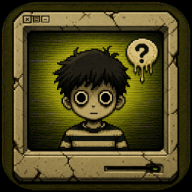
Endacopia is a nontraditional point-and-click adventure game that blends psychological horror, abstract puzzle-solving, and retro-inspired aesthetics. Developed by AndyLand (Andres Guerrero) with an unsettling, nostalgic soundtrack composed by Packtion, the game introduces players to a young, lost boy named Mellow.
Unlike traditional point-and-click protagonists, Mellow does not possess a deep understanding of his surroundings. He is a blank slate wandering through a world governed by foreign, often hostile rules. He relies almost entirely on his strong gut instincts to survive.
This is where you come in. Instead of playing as Mellow directly, you assume the role of his guardian angel. You cannot control his every movement, but you can manipulate the environment, highlight clues, combine inventory items, and nudging him in the right direction. Your primary objective is to help Mellow overcome surreal obstacles, survive terrifying entities, and find a place he can truly call home.
Endacopia CrazyGames Web Demo vs. Full Steam Release
The endacopia crazygames release from October 2022 served as a massive milestone for the game's community. It allowed players to experience the prologue and early puzzles of Endacopia directly within their HTML5 desktop browsers without needing any installations.
However, players should note that the browser version is a demo. To experience the complete narrative, advanced puzzle mechanics, non-linear exploration paths, and all 16 Steam achievements, you must transition to the premium version. You can find the full game on the official Endacopia Steam store page, which features significantly expanded content, polished visuals, and deeper lore.
For many players who started with the endacopia crazygames demo, the browser-based experience was a perfect trial run to test their puzzle-solving skills before committing to the full horror adventure on Steam.
| Feature | Browser Demo (CrazyGames) | Full Steam Release |
|---|---|---|
| Price | Free-to-play | Premium |
| Platform | Web Browser (Desktop-only) | Windows (Steam) |
| Content Scope | Prologue & Early Puzzles | Full Story, Multiple Chapters |
| Save Progress | Local Browser Storage | Steam Cloud Saves |
| Achievements | None | 16 Steam Achievements |
| Boss Encounters | Limited / Early Phase | Full Boss Fights (Clock Boss, Trapezist) |
| Endings Available | Demo Ending Only | Multiple Story Endings |
Gameplay Mechanics and Control Schemes
Endacopia sets itself apart from standard adventure games by combining classic point-and-click mechanics with direct character navigation. You use the keyboard to move Mellow through the 2D environments while simultaneously using the mouse cursor to interact with objects, examine items, and trigger events.
If you are playing the endacopia crazygames build, the controls are highly intuitive but require a bit of coordination. The mouse wheel or right-click button allows you to cycle through different action modes (such as Look, Touch, or Talk), which changes how Mellow interacts with highlighted objects in the room.
| Control Input | Browser / PC Action | Function in Gameplay |
|---|---|---|
| W, A, S, D | Movement | Guides Mellow left, right, up, and down through rooms |
| Left-Click | Interact / Confirm | Executes the selected action on an object or NPC |
| Right-Click | Cycle Actions | Switches between different action icons (Eye, Hand, Mouth) |
| Mouse Wheel | Cycle Actions (Alternative) | Quickly scrolls through available interaction modes |
| Esc / P | Pause Menu | Opens the settings, save options, or exits the game |
Key Bosses and Puzzle Encounters
As you guide Mellow deeper into the surreal depths of Endacopia, the puzzles transition from simple inventory combinations to complex, multi-room riddles and tense boss battles. The game occasionally shifts perspectives, introducing first-person brawls and timing-based micro-games that test your reflexes.
One of the most iconic encounters, which was first teased in the endacopia crazygames build and fully realized in the Steam release, is the confrontation with the Clock Boss. This puzzle requires players to manipulate time, observe environmental clues, and coordinate Mellow's movements to avoid being crushed by shifting gears.
Another major challenge is the Trapezist, an encounter that demands quick thinking and precise inventory usage. Below is a guide to some of the major encounters players will face throughout their journey.
| Encounter / Boss | Location | Core Puzzle Mechanic | Survival Tip |
|---|---|---|---|
| The Toy Box Riddle | Starting Bedroom | Inventory combination & logic | Examine every item in Mellow's pockets; combine the key with the matching latch. |
| The Clock Boss | The Grand Hallway | Time manipulation & pattern recognition | Watch the shadows on the wall to predict when the pendulum will swing. |
| The Trapezist | The Circus Tent | Quick-time events & pathfinding | Keep your cursor near Mellow to quickly select defensive actions when prompted. |
| The Foreign Rules Door | The Whispering Library | Abstract riddle-solving | Listen to the background audio cues; the correct door emits a distinct hum. |
Achieving Endings and Unlocking Steam Achievements
For completionists transitioning from the free endacopia crazygames version to the full Steam release, unlocking all 16 achievements is a highly rewarding challenge. The game features a non-linear exploration system, meaning that your choices, the items you keep in your inventory, and how you treat certain characters will directly influence the final outcome of Mellow's journey.
Community reports suggest that there are multiple distinct endings, ranging from bittersweet escapes to deeply unsettling psychological twists. To uncover every secret, players must experiment with abstract item combinations and search for hidden rooms that are easily missed on a first playthrough.
| Achievement Name | Type | How to Unlock (Community Reports) |
|---|---|---|
| First Steps | Story | Complete the prologue and leave the starting room. |
| Time Keeper | Puzzle | Defeat the Clock Boss without making a single chronological error. |
| Guardian Angel | Special | Complete the game without letting Mellow take any physical damage. |
| Lost in the Echoes | Ending | Trigger the secret "Echo" ending by collecting all hidden memory shards. |
| Curiosity Killed... | Secret | Interact with the forbidden mirror in the library three times in a row. |
If you want to practice your puzzle-solving skills before diving into these achievements, trying out the early builds on the Endacopia Itch.io Demo Page is highly recommended by the fan community.
Frequently Asked Questions
Is the Endacopia CrazyGames version the complete game?
No, the version hosted on CrazyGames is a free HTML5 browser demo. It features the prologue and early puzzle sequences of the game. To experience the full story, complete chapters, boss fights, and endings, you will need to purchase the full game on Steam. However, playing the endacopia crazygames edition is a great way to experience the unique art style and mechanics before buying.
Can I play Endacopia on mobile devices?
The browser-based demo is optimized primarily for desktop browsers due to its dual keyboard and mouse control scheme. While some browser platforms support mobile play, the precise point-and-click mechanics and WASD movement make a desktop computer the highly recommended platform for the best experience.
Who developed Endacopia and composed its music?
Endacopia was developed by the talented indie creator AndyLand (Andres Guerrero). The game's highly atmospheric, creepy, and nostalgic soundtrack was composed by Packtion, whose music perfectly complements the hand-drawn retro art style.
Does Endacopia have multiple endings?
Yes. The full Steam release of Endacopia features non-linear exploration, hidden secrets, and multiple narrative paths that lead to different endings. Your interactions with the environment and the choices you make as Mellow's guardian angel will determine his ultimate fate.
Related Guides
Endacopia Full Game: Everything You Need to Know About This Surreal Horror Hit
Dive into the surreal world of Endacopia. Discover gameplay mechanics, horror elements, and essential tips for the full game release from Andyland.
Endacopia Horror Game Guide: How to Survive Mellow's Surreal Point-and-Click Nightmare
Master the surreal puzzles, combat, and unsettling secrets of Endacopia, the hit point-and-click horror game by Andyland.
Endacopia News: Full Release Details, Update 1.01 Patch Notes, and Secret Endings Guide
Stay updated with the latest Endacopia news, including patch notes for version 1.01, secret ending requirements, and gameplay tips for Mellow's journey.
Endacopia Online Guide: How to Play the Surreal Point-and-Click Horror Game
Discover how to play Endacopia online or offline. Learn controls, character lore, puzzle tips, and achievements for this indie horror hit.